
Insert checkbox into sticky notes window - Synapbook
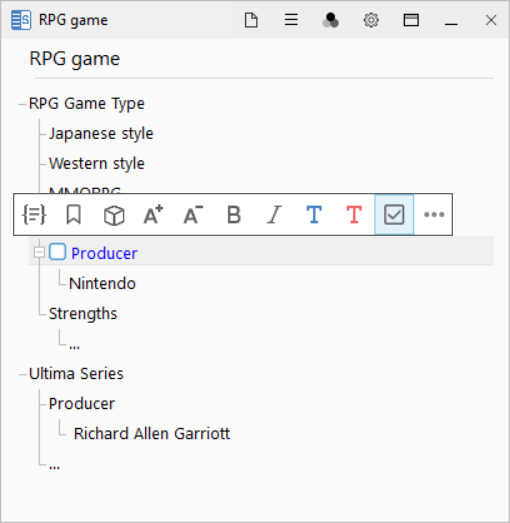
In the SynapBook sticky notes window, there are two ways to check boxes:
1. Using the keyboard Move to the line you want to change and press the checkbox insert shortcuts alt + c.
2. Using the mouse Move to the line you want to change and press the right mouse button. In the toolbar that appears, click the button with the checkbox image.
Thanks.